
AI Video - AI Video Generator
HubXPhotography
4.56.56K Reviews
- Version
- 2.8.4
- Installs
- 10.00M
- Age Rating
- Teen
Screenshots
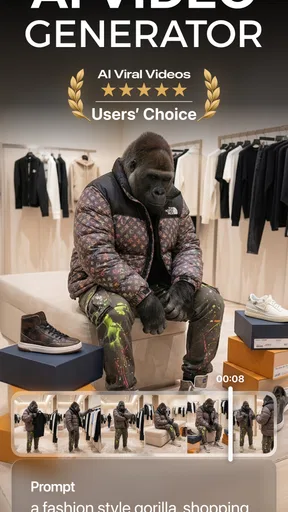
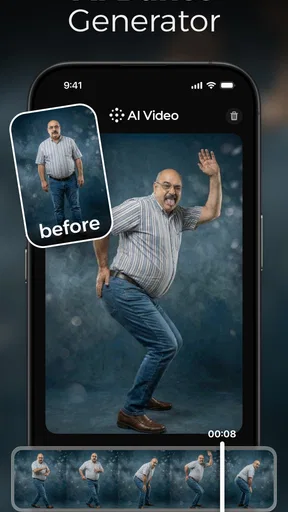
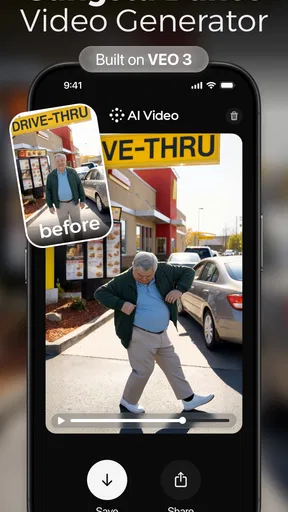
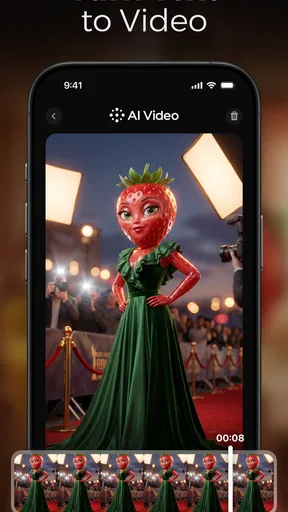
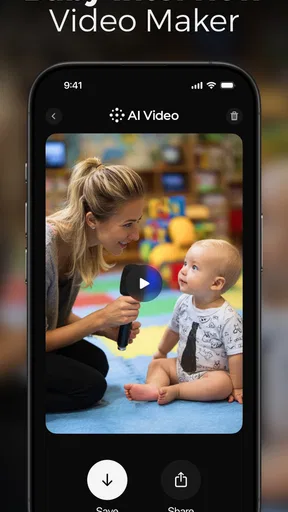
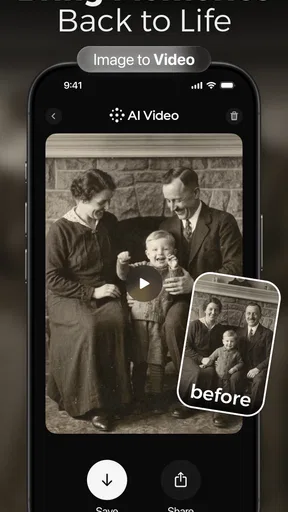
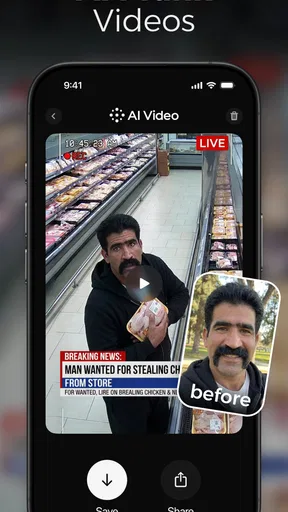
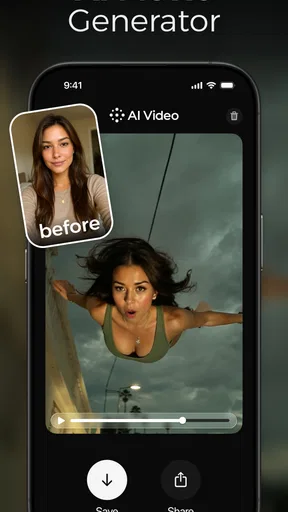
Our Review of AI Video - AI Video Generator
 Analysis by Appyee
When I need a quick visual starting point but don’t have time to build a video from scratch, an AI generator can be tempting. AI Video - AI Video Generator is aimed at that moment: you describe an idea in words and let the app turn it into a video. I see the appeal for small creative tasks, though I’d treat the result as a draft to judge and refine, not as a finished piece guaranteed to match the picture in your head.
Start with an idea you can describe clearly
The most useful way to approach a text-to-video app is to think like a brief writer. A vague prompt such as “make something beautiful” leaves too much open; a short description of the subject, setting, mood, and intended audience gives the generator a more practical direction. I’d begin with one clear scene or message, then see what the app makes of it before adding extra ideas.
That workflow suits a casual creator who wants to test a concept, make a visual greeting, or put together a first pass for a social post. It is less suited to someone who needs exact product details, a particular person’s likeness, or precise control over every shot. Generative video can interpret a description rather than follow it like a conventional editing timeline, so the distinction between “inspired by my prompt” and “faithfully reproduces it” matters.
What the making process is good for
The app is a photography-category creative tool from HubX, built around generating video from written ideas. Its central promise is appealingly direct: start with words instead of hunting through clips or learning a full editing suite. For a first-time creator, that can make the blank-page stage less intimidating. You can concentrate on what you want viewers to see, rather than first mastering a complicated arrangement of tracks and controls.
A realistic everyday use would be making a short invitation for a family get-together. I’d describe the occasion and the feeling I want, generate a draft, then watch it with the intended viewer in mind: is the point clear, does the imagery fit, and would I be comfortable sharing it? If the visuals miss the tone, I’d simplify the prompt and try a narrower concept rather than keep piling details into one request.
That last step is a useful trade-off. Text-to-video can save time at the beginning, but it may take a few rounds of wording and review before a result feels appropriate. The app is most attractive when a visually interesting draft is enough to move a project forward. If a job depends on exact timing, consistent characters, or carefully matched scenes, a conventional editor gives you a more dependable level of control.
It is free to install, with in-app purchases listed from $4.99 to $69.99 per item. I’d explore the basic experience and decide whether its outputs fit my needs before paying for anything. The range makes it especially sensible to check what an offered purchase covers and whether it matches how often I expect to create; occasional experiments and regular production are very different use cases.
Judge each draft before building on it
My main advice for iteration is to change one thing at a time. If the first output has the right subject but the wrong mood, adjust the mood language rather than rewriting the entire prompt. If it feels too busy, remove secondary ideas. This makes it easier to tell whether the change helped, and it avoids spending effort on a long description whose important parts compete with one another.
I would also treat generated imagery as creative material that needs human review. Check whether the result communicates the intended idea, whether anything looks inconsistent, and whether it is suitable for the people who will see it. For a lighthearted personal clip, a small oddity may be harmless; for a business announcement or an informational video, an inaccurate visual can undermine trust. A quick playback on the device where you plan to share it is a simple final check.
AI video generation is not automatically a replacement for filming or editing. If you already have specific footage, want to preserve a real moment, or need reliable control over cuts and sound, a standard mobile video editor is usually the better starting point. If you mainly need an imaginative visual from a short written concept, this app’s text-led approach is more relevant. The choice comes down to whether you value a fast generative draft or precise hands-on editing.
Getting Started with AI Video
Jumping into AI Video - AI Video Generator is a breeze. The app greets you with a sleek and user-friendly interface that even a beginner can navigate without feeling overwhelmed. Whether you're using Android or iOS, the setup process is a cinch. Just download the app, and you're ready to start crafting your next masterpiece.
The first thing you'll notice is how intuitive everything feels. The main menu is clean, with large icons guiding you through the different features like video creation, editing, and sharing. It's all about making the experience as seamless as possible, so you can focus on your creativity.
Unleashing Creativity
Once you're in, the real fun begins. The app offers a wide variety of templates, styles, and effects to choose from. Whether you're looking to create a quick birthday greeting video or a more elaborate project, there's something for everyone. The templates are professionally designed, giving your videos a polished look without the effort.
The magic truly happens with the AI-powered editing tools. The app's AI can analyze your video clips and photos, automatically suggesting the best transitions, effects, and music. It's like having a professional editor in your pocket. And if you want to have more control, you can manually adjust settings to suit your style. This blend of automation and customization is what makes the app stand out.
Features That Shine
One of the standout features is the app's ability to generate videos from text. Simply input a script or a story, and watch as the app brings it to life with relevant visuals and animations. It's a fantastic tool for anyone looking to create engaging content without spending hours on editing.
The app also excels in its music library. With a vast selection of royalty-free tracks, you can easily find the perfect soundtrack for your video. The AI even suggests music that matches the mood and pace of your footage, ensuring a cohesive final product.
"The app's AI can analyze your video clips and photos, automatically suggesting the best transitions, effects, and music."
Sharing Your Creation
After crafting your video masterpiece, sharing it with the world is a snap. The app offers direct integration with popular social media platforms like Instagram, Facebook, and TikTok, making it easy to showcase your work. You can also download your videos in high resolution, perfect for professional use or saving memories.
The app's developers have clearly put a lot of thought into making the sharing process quick and painless. You can even personalize your video with captions, stickers, and watermarks before sending it off into the digital world.
Who should give it a try
For a creator deciding whether this belongs in their toolkit, the audience numbers offer context rather than a guarantee of fit: it has over 10 million installs, an average rating of 4.6 from around 639,000 ratings, and about 5,800 written reviews. I’d read that as a sign of broad interest, while still judging the actual generated results against my own needs. It is a photography app, but its text-to-video focus makes it useful to people who think in story ideas as much as images.
The age rating is Teen, and the current version is 2.6.4, with Android 7.0 or later required. Those details help with basic device suitability, but they do not tell me whether a particular output will be right for a project. I’d still review a draft for tone and accuracy, especially before sending it to a client, posting it publicly, or using it to explain something factual.
I’d recommend trying it if you want to turn a compact idea into a visual experiment without first learning a traditional editing workflow. It may also help a small creator test several creative directions before committing time to filming. I’d skip it as my main tool if I needed repeatable, frame-by-frame control, dependable continuity across a sequence, or a finished video that must adhere closely to a strict brief. In those cases, a normal editor—or real footage—offers a clearer path.
Why You'll Love It
AI Video - AI Video Generator is more than just an app; it's a tool that empowers creativity. Whether you're a seasoned content creator or someone who just wants to make fun videos for friends and family, this app makes the process enjoyable and rewarding.
The ease of use, combined with powerful AI-driven features, makes it a must-try for anyone interested in video creation. It's a perfect blend of technology and creativity, offering something for everyone, no matter your skill level.
So, if you've been dreaming of making high-quality videos without the steep learning curve, give this app a shot. You might just find yourself hooked on the endless possibilities it offers.
My creator verdict
I’d approach this as a convenient way to explore a video idea, not as a promise that every prompt will become a publish-ready result. The best workflow is to keep the brief focused, inspect the output critically, and decide whether the generated look serves the message. For a personal greeting or an early creative sketch, that can be a pleasant shortcut. For work where details, consistency, or editorial control matter most, I’d use a conventional editor instead.
HubX’s app is free to start, while optional purchases can reach $69.99 per item, so I’d make the value decision based on how useful the finished drafts are in my own routine. If I’m only curious, I can experiment without treating it as an essential tool. If I regularly need quick visual concepts from written prompts, it may earn a place alongside—not necessarily in place of—the tools I already use.
Verdict
Strengths of AI Video - AI Video Generator
- Impressive video quality output.
- User-friendly interface for beginners.
- Wide range of customization options.
- Fast processing and rendering speeds.
- No watermark on exported videos.
Limitations of AI Video - AI Video Generator
- Limited free version features.
- Occasional in-app ads.
- Requires high-performance device.
- Subscription can be pricey for some.
- Some features need internet access.
Other Releases by HubX
View All
Home AI - AI Interior Design
Lifestyle4.3

DaVinci - AI Image Generator
Art & Design3.6

MyTunes : AI Music Generator
Entertainment4.3

Chatbot - AI Smart Assistant
Productivity4.3
Similar Picks in This Category
View All
Google Photos
Google LLC4.4

Gallery
Google LLC4.2

Picsart AI Photo Editor, Video
PicsArt, Inc.3.9

B612 AI Photo&Video Editor
SNOW Corporation4.1

BeautyPlus-Selfie Photo Editor
PIXOCIAL TECHNOLOGY (SINGAPORE) PTE. LTD.4.5

Remini - AI Photo Enhancer
Bending Spoons4.1
You May Also Like
View All
Frequently Asked Questions
What is AI Video - AI Video Generator used for?
AI Video - AI Video Generator is an app designed to help users create and edit videos using artificial intelligence technology. It simplifies the video creation process by offering automated editing features, templates, and effects, making it ideal for both beginners and professionals looking for quick and quality video production.
How user-friendly is AI Video - AI Video Generator for beginners?
AI Video - AI Video Generator is highly user-friendly, featuring an intuitive interface and guided tutorials that walk users through each step of the video creation process. It requires no advanced technical skills, allowing beginners to produce professional-looking videos effortlessly by utilizing AI-powered tools and templates.
What are the key features of AI Video - AI Video Generator?
The app includes features such as automatic video editing, a wide range of templates, special effects, music integration, and text overlay options. Additionally, its AI capabilities allow for smart scene detection and optimized rendering, ensuring high-quality video outputs with minimal user input.
Are there any limitations to using AI Video - AI Video Generator?
While AI Video - AI Video Generator offers powerful tools, it may have limitations such as restricted customization options compared to more advanced software. Some users might find the template selection limited, and the app’s performance can vary depending on the device’s processing power.
Is there a cost associated with using AI Video - AI Video Generator?
AI Video - AI Video Generator typically offers a free version with basic features, but access to premium templates, effects, and export options might require a subscription or one-time payment. Users should review the pricing structure within the app to determine which plan suits their needs best.
